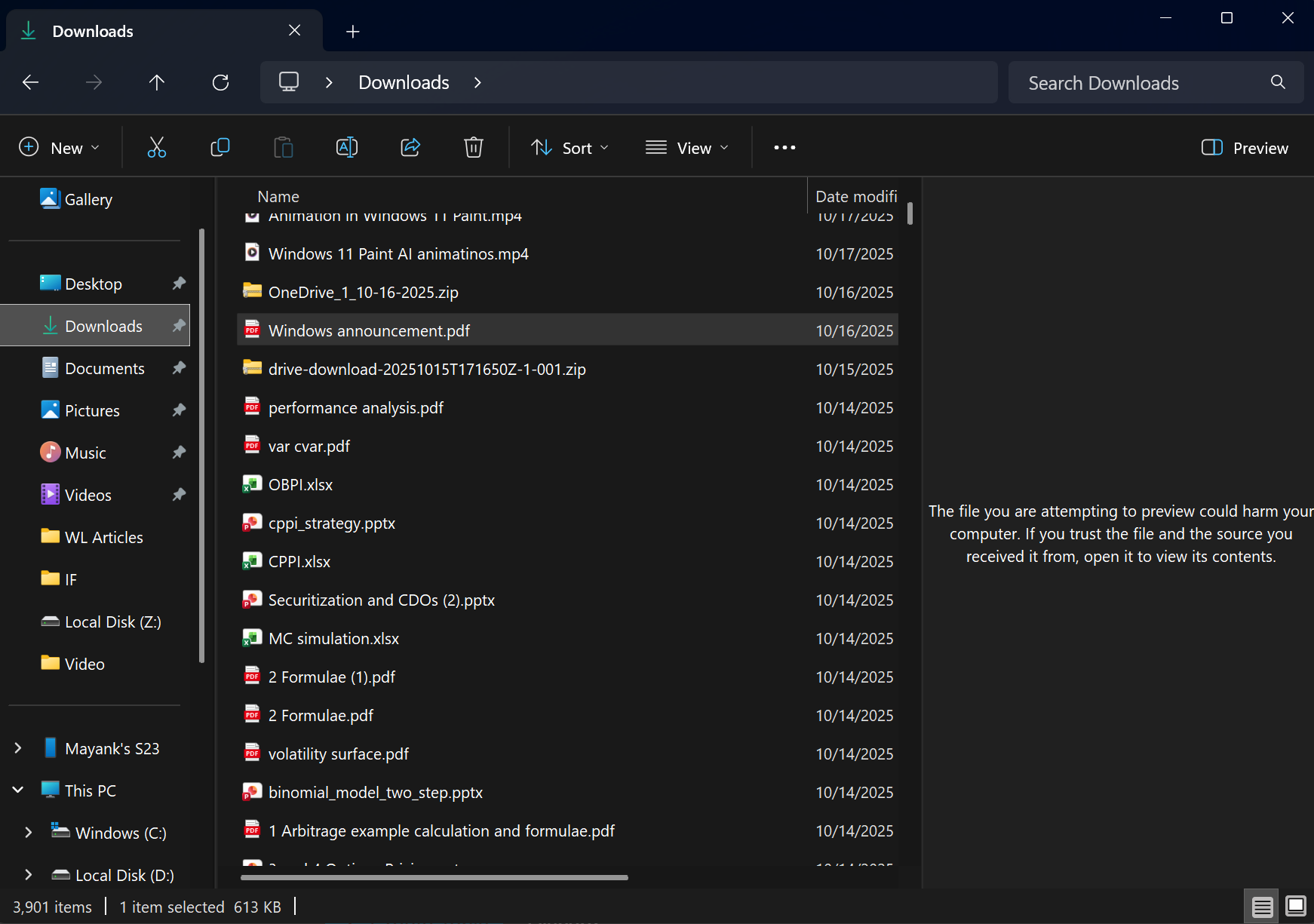
You’re not alone if you see a security alert when previewing PDF or other documents/files in File Explorer: The file you are attempting to preview could harm your computer. If you trust the file and the source you received it from, open it to view its contents
When the October 2025 Update for Windows 10 (KB5066791) and Windows 11 (KB5066835) shipped, we noticed that File Explorer’s Preview Pane stopped working. This was very odd. I mean, you can still turn on Preview pane from the options menu (see the screenshot below), but it’ll not be able to preview downloaded files.
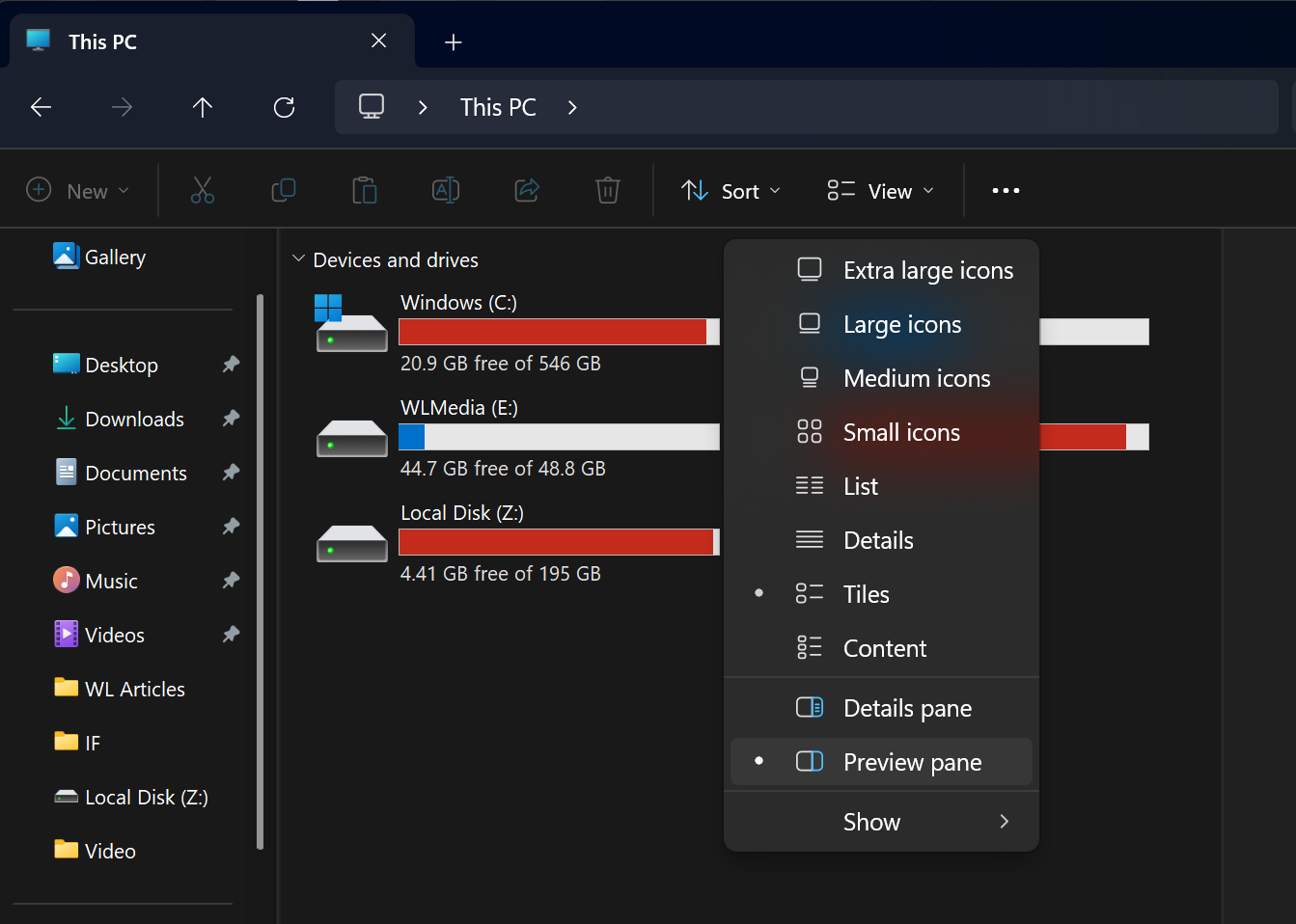
If you try to preview the files, let’s say, a PDF, it’ll display a security alert: The file you are attempting to preview could harm your computer. If you trust the file and the source you recieved it from, open it to view its contents.
See the screenshot below. I can no longer view the file I downloaded from an external source. In this case, I downloaded the file from SharePoint:
But what about the PDFs I created on my PC? They still load.
Turns out it’s NOT a known issue. But it’s a feature. Microsoft disabled the Preview pane in File Explorer for download files to limit potential security risks.
The reason behind this move is to stop possible leaks of NTLM credential hashes when previewing downloaded files. When Explorer tried to show a preview of a file, it could indirectly allow the system to send sensitive authentication data to remote servers.
MIcrosoft’s solution is to disable previews in Explorer. This will prevent the attack method.
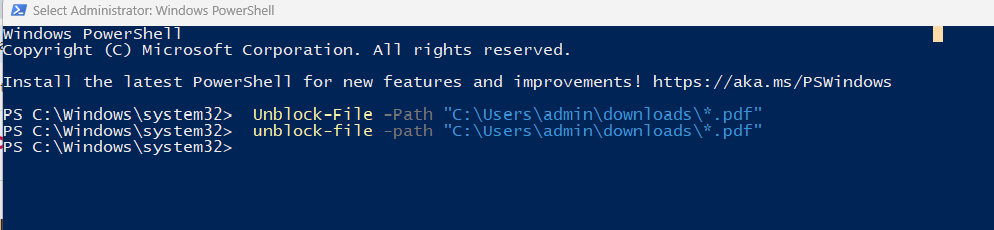
You can turn off this security feature by modifying your registry, but I don’t recommend doing that. Instead, if you trust the folder where you save your downloaded files, you can just unblock it by running the following script in PowerShell:
Unblock-File -Path "C:\Users\admin\Documents\*.pdf"
Let me know if you’ve a question. I’ve asked Microsoft for more details, but for now, this is the only workaround.
As for other issues in Windows 11 October 2025 Update, Microsoft confirmed LocalHost problems are fixed via a server-side patch. For Windows Recovery issues, we’ve a new emergency update (Windows 11 KB5070773).
Are you aware of other issues in the update?